> ## Documentation Index
> Fetch the complete documentation index at: https://docs.myquery.ai/llms.txt
> Use this file to discover all available pages before exploring further.
# Getting started
> Unlock insights from your data using natural-language questions in Arabic, English, and more—no SQL required.
## What is MyQuery?
**MyQuery** is a data platform that turns **multilingual natural-language questions** (Arabic, English, and more) into **verifiable SQL** and **clear visualizations**. Ask in your own language, review the generated query, and trust the results with built-in explainability and audit logs.
## Why MyQuery?
* **No SQL needed:** Ask in your language (Arabic, English, …) → production-grade SQL.
* **Verifiable by design:** Inspect queries, lineage, and execution logs.
* **Faster decisions:** Self-serve analytics for non-technical teams.
* **Fewer tickets:** Data teams spend less time on repetitive requests.
* **Flexible deployment:** Cloud or on-prem, with schema-only access options.
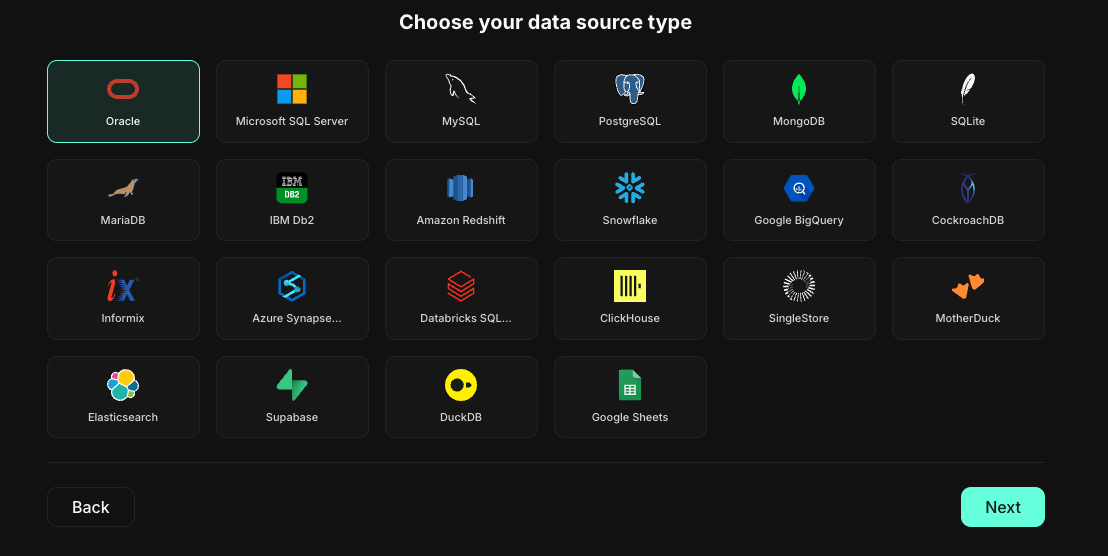
* **Broad database support:** Oracle, PostgreSQL, MySQL, SQL Server, Snowflake, BigQuery, Redshift, MongoDB, SQLite, MariaDB, and more.
## Getting started
### 1) Check access
You need an active **MyQuery organization** to sign in. If you’re not a customer yet, register your interest [**here**](https://myquery.ai/register).
### 2) Sign in
Go to [**login**](https://mtquery.ai/login) and sign in with **Google** or request a **magic link** to your email.
### 3) Create your workspace
Create (or join) an organization and workspace. Invite teammates and assign roles (Admin, Editor, Viewer).
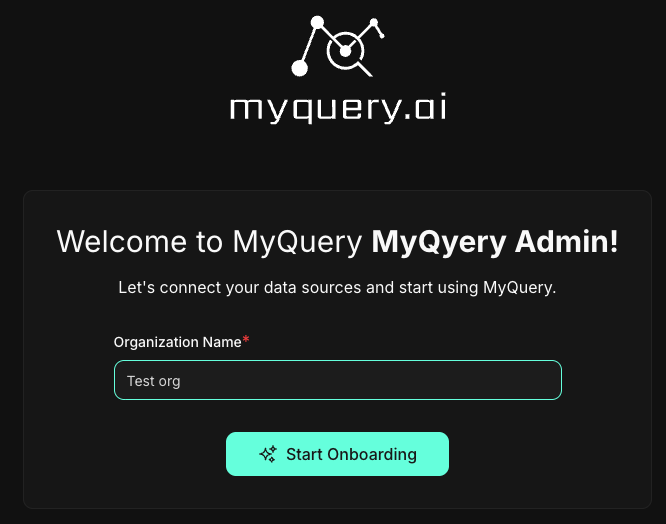 ### 4) Connect a database
Add a connection using read-only credentials:
* Minimum privileges: **SELECT** on the schemas/tables you want to query.
* Recommended: **schema-only visibility** for least-privilege access.
* Supported engines include Oracle, PostgreSQL, MySQL, SQL Server, Snowflake, BigQuery, Redshift, MongoDB, SQLite, MariaDB, and others.
### 4) Connect a database
Add a connection using read-only credentials:
* Minimum privileges: **SELECT** on the schemas/tables you want to query.
* Recommended: **schema-only visibility** for least-privilege access.
* Supported engines include Oracle, PostgreSQL, MySQL, SQL Server, Snowflake, BigQuery, Redshift, MongoDB, SQLite, MariaDB, and others.
 ### 5) Sync schema
MyQuery scans table/column metadata to build a semantic layer (no raw data copied). You can add friendly names and descriptions to improve NL accuracy.
### 6) Ask your first question
Open **AI Query**, type a business question in **your preferred language**\
(e.g., **العربية:** *“ما هو إجمالي الإيرادات لكل منطقة خلال الربع الثاني مقارنة بالأول؟”*\
أو **English:** *“Weekly active users by country for the last 8 weeks.”*)\
Preview the **generated SQL**, then run it to view results or save a chart/dashboard.
## Tips for best results
* **Be specific:** Include metrics, time ranges, and dimensions.
* **Name things clearly:** Add descriptions/aliases for columns (e.g., `customer_id` → “Customer ID”).
* **Use read-only users:** Keep credentials scoped to the schemas you need.
## Security at a glance
* **Encryption in transit & at rest**
* **Least-privilege, schema-only access**
* **Audit logs** for queries and actions
* **On-prem deployment** option for full data residency control
***
Need help? Reach us from the in-app chat or contact `support`.
### 5) Sync schema
MyQuery scans table/column metadata to build a semantic layer (no raw data copied). You can add friendly names and descriptions to improve NL accuracy.
### 6) Ask your first question
Open **AI Query**, type a business question in **your preferred language**\
(e.g., **العربية:** *“ما هو إجمالي الإيرادات لكل منطقة خلال الربع الثاني مقارنة بالأول؟”*\
أو **English:** *“Weekly active users by country for the last 8 weeks.”*)\
Preview the **generated SQL**, then run it to view results or save a chart/dashboard.
## Tips for best results
* **Be specific:** Include metrics, time ranges, and dimensions.
* **Name things clearly:** Add descriptions/aliases for columns (e.g., `customer_id` → “Customer ID”).
* **Use read-only users:** Keep credentials scoped to the schemas you need.
## Security at a glance
* **Encryption in transit & at rest**
* **Least-privilege, schema-only access**
* **Audit logs** for queries and actions
* **On-prem deployment** option for full data residency control
***
Need help? Reach us from the in-app chat or contact `support`.